UGC drop brief template: deliverables, rights, and approval checklist
Copy this practical UGC drop brief template to define creator deliverables, usage rights, review rules, technical requirements, and final handoff.

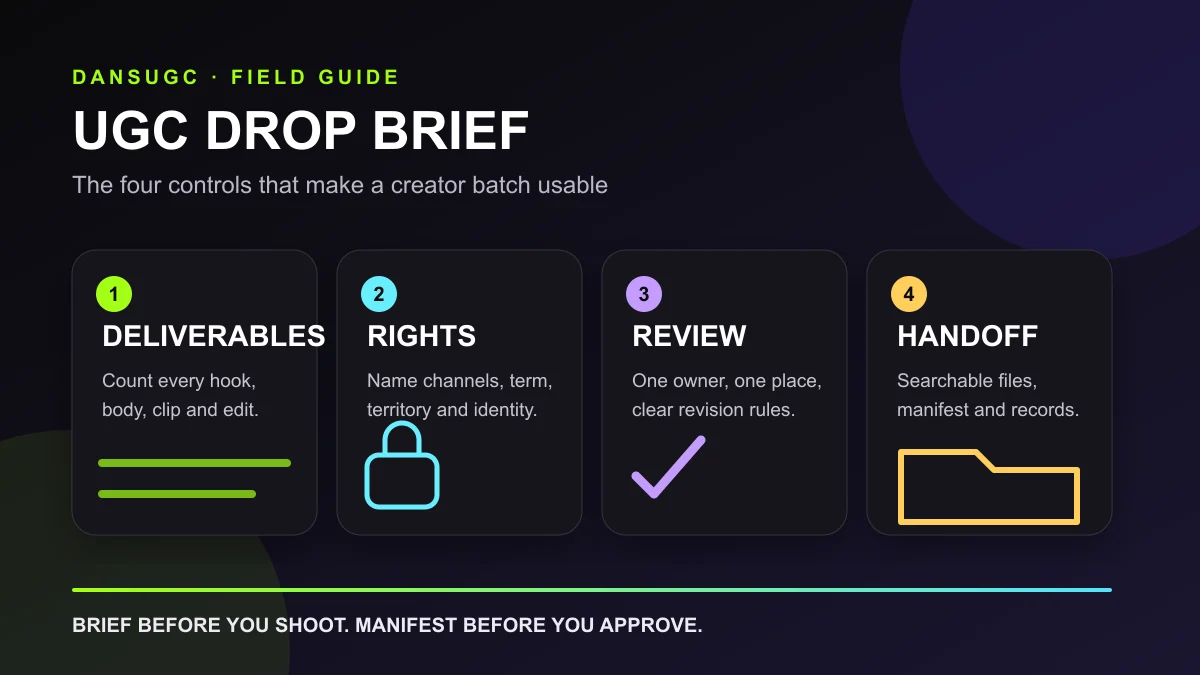
A UGC drop brief is the operating document for a batch of creator assets. It tells creators what to make, reviewers what to approve, and the delivery team what to hand over. A useful brief removes ambiguity around deliverables, claims, usage rights, revisions, and file structure before anyone records a clip.
Copy the template below into your project document, replace the bracketed prompts, and attach the final version to the contract or order. Here, a drop means one agreed batch of creator assets, not a standardized industry package. For the wider production system, read the UGC content factory guide.
This is an operational planning template, not a contract or legal advice. Have the responsible reviewer check permissions, claims, and disclosure requirements for the markets where you will distribute the content.
Copy this UGC drop brief template
1. Project and business context
- Project name: [campaign, launch, or recurring drop name]
- Brand and product: [exact product or service being shown]
- Project owner: [one person responsible for final decisions]
- Delivery date: [date, time, and time zone]
- Distribution: [paid social, organic social, landing page, email, marketplace, or another named channel]
- Primary objective: [the single job the content must do]
- Audience: [specific buyer, situation, problem, and awareness level]
- Offer or next step: [what the viewer should understand or do]
Keep the objective narrow. “Make engaging content” is not an objective a creator or reviewer can evaluate. “Give our editor three believable openings for a product demonstration” is specific enough to guide production.
2. Deliverables manifest
List every file the buyer expects to receive. For each deliverable, specify:
- creator name or creator ID;
- creative angle and intended audience;
- component type: hook, body, demonstration, reaction, b-roll, testimonial, call to action, or finished edit;
- exact quantity;
- raw footage, edited version, or both;
- aspect ratio, resolution, orientation, and target duration;
- spoken audio, natural sound, voiceover, captions, or music requirements;
- required product, action, prop, location, or framing;
- filename and destination folder;
- acceptance criteria.
Do not write “10 pieces of UGC” and assume everyone shares the same definition. One person may count ten raw clips while another expects ten finished videos. A countable manifest is the difference between a deliverable and a misunderstanding.
3. Creative direction
- Core message: [one sentence the viewer should remember]
- Angles to cover: [problem, outcome, objection, use case, comparison, routine, or moment]
- Hooks to test: [write or describe each opening separately]
- Required proof: [product use, interface, packaging, texture, result, process, or other visible evidence]
- Required lines: [exact statements that must be included]
- Prohibited claims: [medical, financial, performance, comparative, or unsupported claims the creator must avoid]
- Pronunciation: [brand, product, founder, or technical terms]
- Visual references: [links plus a note explaining what to borrow from each reference]
- Tone: [three concrete qualities, such as direct, calm, practical]
A reference link without an explanation is weak direction. Tell the creator whether you are referencing the camera distance, pace, lighting, first-frame action, delivery style, or edit rhythm. Otherwise the team may copy the least important part of the example.
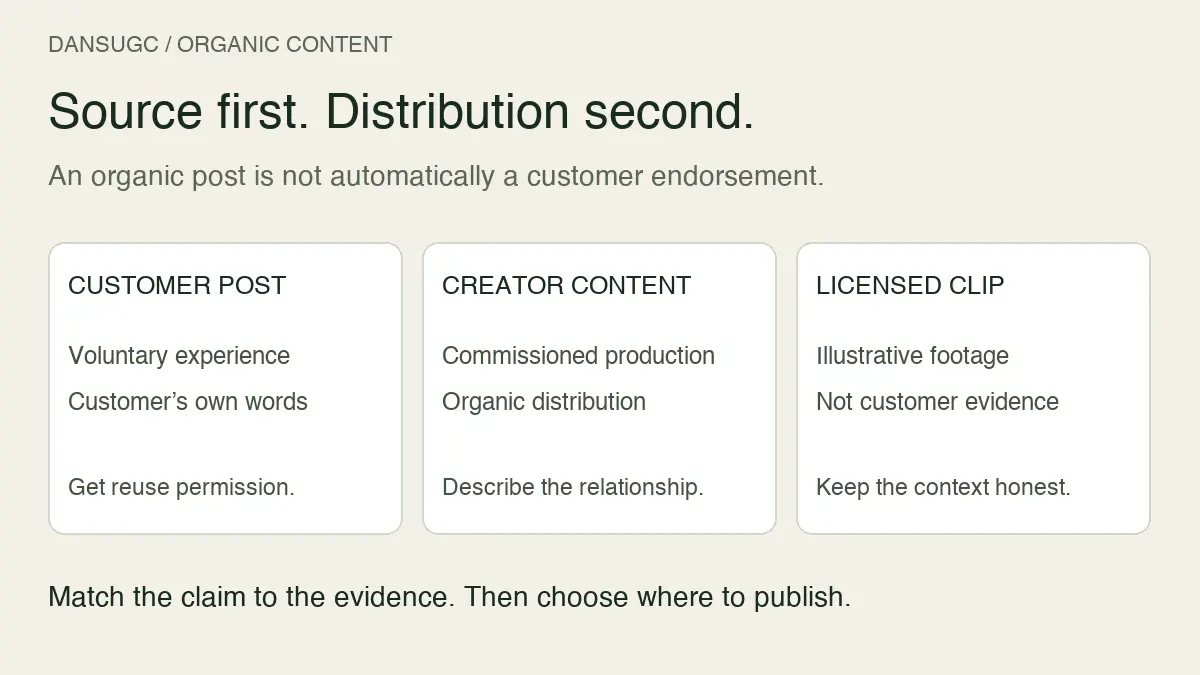
Add a disclosure owner when the content contains endorsements. The FTC's disclosure guidance explains that material brand relationships should be clear and that creators cannot claim personal experience with a product they have not tried. A licensed reaction clip is not evidence that its creator used or recommends your product. Do not turn generic footage into a fabricated customer testimonial.
4. Production rules
- Framing: [headroom, eyeline, hands, product position, negative space]
- Camera: [vertical or horizontal, resolution, frame rate if material]
- Audio: [quiet room, external microphone, natural sound, or clean voice track]
- Lighting: [window light, soft light, no backlight, or another requirement]
- Background and wardrobe: [required, preferred, and prohibited elements]
- Text-safe area: [where editors need clean space for captions or overlays]
- Handles: [whether raw footage must include clean pre-roll and post-roll]
- Brand assets: [logos, packaging, app screens, or product states that must be visible]
- Music and third-party material: [what may or may not be included]
If the batch includes modular footage, use the UGC clips guide to define clean handles, shot coverage, and editor-ready variation. If it includes emotional responses, use the UGC reaction video briefing checklist to specify the trigger, emotion, intensity, eyeline, and timing.
5. Usage rights
- Licensed channels: [organic, paid advertising, website, email, retail, or named platforms]
- Licensed brand or entity: [the legal entity receiving permission]
- Territory: [countries or worldwide]
- Term: [start date, end date, or agreed duration]
- Editing permission: [crop, captions, voiceover, compositing, translation, or other changes]
- Creator identity: [whether name, handle, image, likeness, or account identity may be used]
- Whitelisting or creator-account ads: [included, excluded, or handled separately]
- Exclusivity: [category, competitors, term, and territory]
- Raw footage rights: [whether raw files are included and how they may be edited]
- Renewal: [who owns the renewal decision and when it must be discussed]
Do not hide rights inside a vague label such as “full usage.” Ownership, a license, organic posting, paid media, and creator-account advertising are different permissions. Record the actual agreement in plain language and keep the rights record beside the delivered files.
6. Review and revisions
- Internal approver: [one accountable person]
- Feedback method: [one document, frame-accurate review tool, or consolidated message]
- First review deadline: [date and time zone]
- Included revisions: [number and definition]
- Reshoot rules: [what qualifies and who approves]
- Out-of-scope changes: [how new concepts, lines, or formats are handled]
- Silence rule: [what happens if feedback is late]
- Final acceptance: [who confirms completion and where]
Separate a revision from a reshoot. A caption correction is not the same production event as filming a new concept. Also separate creator error from a changed business request. Define the correction process for footage that misses the approved brief. If the brand changes the offer after filming, review the change against the agreed scope rather than assuming a free reshoot.
7. Delivery and handoff
- Delivery location: [shared drive, review platform, or asset manager]
- Folder structure: [raw, selects, edits, captions, thumbnails, rights, and project documents]
- File naming: [creator-angle-component-take-or-version]
- Version labels: [rough cut, review, approved, final]
- Caption or transcript files: [format and naming]
- Rights record: [document name and folder]
- Manifest owner: [person who reconciles delivered files against the brief]
- Archive date: [when source files may be removed, if applicable]
Use a filename such as `creator-angle-hook-take02.mp4`, not `final-final-new.mp4`. The final folder should make sense to an editor or media buyer who was not part of production.
UGC drop approval checklist
Run this checklist at three points. Approval at the wrong stage is expensive: a missing line discovered before filming is a quick fix; the same line discovered after delivery may require a reshoot.
Before production
- The objective, audience, offer, and distribution channel are named.
- Every deliverable is countable and assigned to a creator.
- Raw and edited requirements are separate.
- Hooks, bodies, reactions, b-roll, and calls to action are counted separately.
- Required claims have evidence and prohibited claims are documented.
- Product handling, pronunciation, wardrobe, setting, and technical rules are clear.
- References explain what the creator should learn from them.
- Usage rights, term, territory, paid use, and identity permissions are written down.
- Review owners, deadlines, revisions, and reshoot rules are agreed.
- Delivery folders and filenames are defined.
At rough-cut review
- The opening matches the assigned hook and starts with usable action.
- The product, screen, or result is visible as required.
- Spoken lines are accurate and stay inside the approved claim boundaries.
- Framing leaves the requested space for captions or overlays.
- Audio is clean enough for the intended edit.
- The clip includes the requested pre-roll and post-roll.
- Logos, captions, and important visuals fit platform-safe areas.
- Feedback is consolidated by one owner and tied to the brief.
- New ideas are labeled as new scope instead of being disguised as corrections.
At final handoff
- Every line in the manifest has a matching file.
- Files open, play, and match the requested format and resolution.
- Raw footage, edits, captions, thumbnails, and alternates are in the right folders.
- Filenames identify creator, angle, component, take, and version.
- Approved and rejected versions cannot be confused.
- The rights record matches the delivered creators and assets.
- The project owner has confirmed acceptance in writing.
- Each asset can be traced to the angle, hook, body, and call to action it contains.
- The media or content team knows where and when the assets will be tested or published.
Brief, script, shot list, and manifest: what is the difference?
These documents support each other but do different jobs.
- Brief: defines the objective, audience, scope, boundaries, rights, and approval process.
- Script: specifies the spoken or on-screen sequence for one concept or edit.
- Shot list: specifies the visual coverage required during production.
- Manifest: counts the files promised and reconciles what was delivered.
A script cannot replace the brief because it does not normally define rights or acceptance. A brief cannot replace a shot list because “show the product” may require several specific angles. Keep the system small, but do not force one document to carry four different responsibilities.
A hypothetical filled example
Suppose a team wants a batch for a new productivity app. This example is illustrative, not a DansUGC client result.
The objective is to give the media buyer reusable openings and demonstrations for a landing-page test. Three creators each record two hooks, one screen-led body, one desk b-roll sequence, and two calls to action. Raw vertical footage and one reference edit per creator are required. The approved claims describe the product workflow without promising a guaranteed outcome. Paid-social and website usage are licensed for the agreed term and territory. One marketing lead consolidates feedback within two business days. Files are delivered in creator folders with a manifest and rights record.
Notice what the example does not do: it does not promise that a particular creator, hook, or edit will win. The brief creates testable, traceable assets. Performance is learned after distribution.
Common UGC brief mistakes
Buying volume without a testing job
More footage does not automatically create more useful variation. Define what the team needs to learn or publish, then scope the components that support that job.
Treating every variation as a finished video
Hooks, bodies, b-roll, reactions, and calls to action are components. Count them accurately so quotes and handoffs can be compared on the same basis.
Sending feedback from several people
Conflicting messages create unnecessary revisions. Name one owner who resolves internal disagreement before feedback reaches the creator.
Leaving usage rights until delivery
Rights affect scope and price. Agree on channels, paid use, term, territory, editing, identity, and exclusivity before production begins.
Accepting an unsearchable folder
A pile of files may technically satisfy a delivery count while remaining hard to use. File naming and the manifest belong in the brief, not in a cleanup project after handoff.
What should happen after the drop is delivered?
Tag each asset by creator, audience, angle, hook, body, proof element, call to action, and edit version. Then measure it in the channel where it is used. Production metrics such as on-time delivery, first-pass approval, and usable-footage rate tell you whether the workflow is healthy. Channel metrics tell you whether the creative performs.
Keep those two questions separate. A perfectly delivered asset can lose a media test, and a messy production process can occasionally produce a winner. The next drop should improve both the operating system and the creative hypotheses.
If existing footage can cover part of your scope, browse the UGC clip library before commissioning new production. For a creator-ready scope, start a DansUGC order. Bring the objective, asset counts, channels, and rights you need; the rest of the brief becomes much easier to finish.
Frequently asked questions
How long should a UGC drop brief be?
Long enough to make the deliverables and acceptance objective. A small raw-footage batch may fit on two pages. A multi-creator campaign with paid usage, finished edits, and claim constraints needs more detail. Clarity matters more than page count.
Who should approve the brief?
One accountable project owner should give final approval after legal, product, creative, and media stakeholders have supplied their requirements. Creators should receive one approved version, not several competing drafts.
Should pricing appear in the brief?
The commercial agreement should connect price to the same deliverables, rights, and revision terms used in the brief. The creative section does not need to repeat confidential commercial details, but scope changes must be traceable to their cost and timing impact.
Can this template be used for organic UGC?
Yes. Replace paid-media requirements with the relevant organic channels, publishing cadence, captions, community context, and approval workflow. Still define usage rights, file delivery, and the owner responsible for publication.
What is the fastest way to reduce revisions?
Make the manifest countable, consolidate feedback through one owner, document claim boundaries, and approve visual references before filming. Those four controls reduce ambiguity without promising a particular revision rate.
Ready to get UGC videos for your brand?
Real human creators, 48-hour delivery, 12-month commercial license. Starting at $9/video.